
 Español
 Tiếng Việt
 Русский
How to join the PAMM account
The DMN ULTIMA algorithm trades on the Legends_Group PAMM account with the broker Investizo. The path from registration to joining the PAMM account takes six steps.
Verification and funding have their own pages. Here you get the sequence and the places where people lose money or time.
First, check the broker serves you
Investizo does not work with residents of the EU, the US, Australia, Israel, Japan or the UAE. If you are a resident of one of those, there is no point reading on: the account will not be opened.
The broker allows one profile per person. If you already have an account, do not create a second one; contact support instead.
What to have ready
- A photo ID (passport, national identity card or driving licence) and a document confirming your address, for verification
- Crypto from $100. The cheapest network fee is USDT on BEP-20
- An invitation link for registration: the "Open an account" button in the header leads to it
Six steps
- 1. Register
- Follow the invitation link and click "Open account". Country, name in Latin letters as in your passport, phone, email. No email confirmation at this step. Details on the verification page.
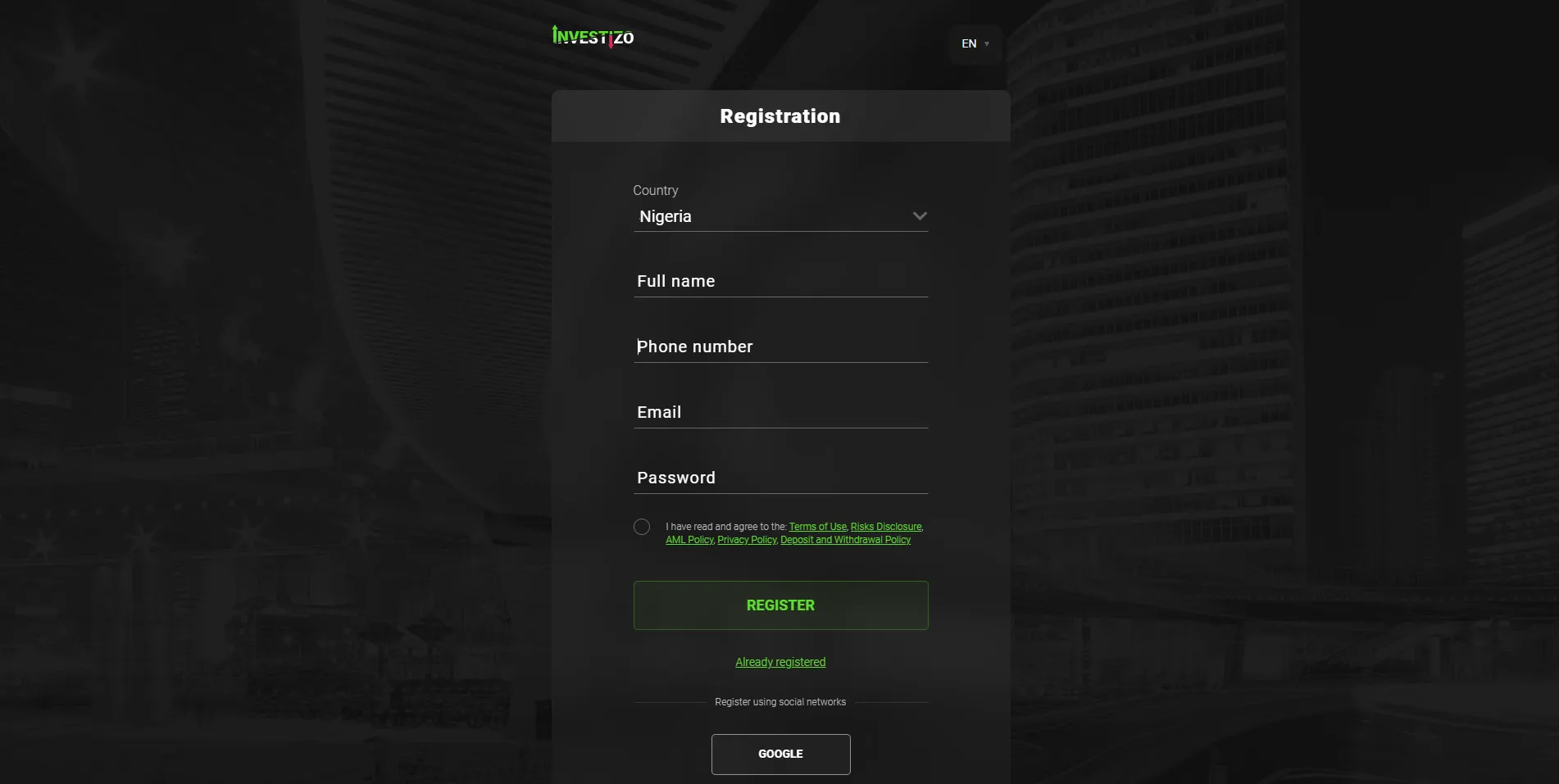
The registration formClick to enlarge - 2. Open an MT5 REAL ECN account
- The "Accounts" tab → "Open new account". MT4 is selected by default, so switch to MT5 REAL ECN or joining will not work. Currency USD, leverage 1:100. The account details arrive by email; save them separately.
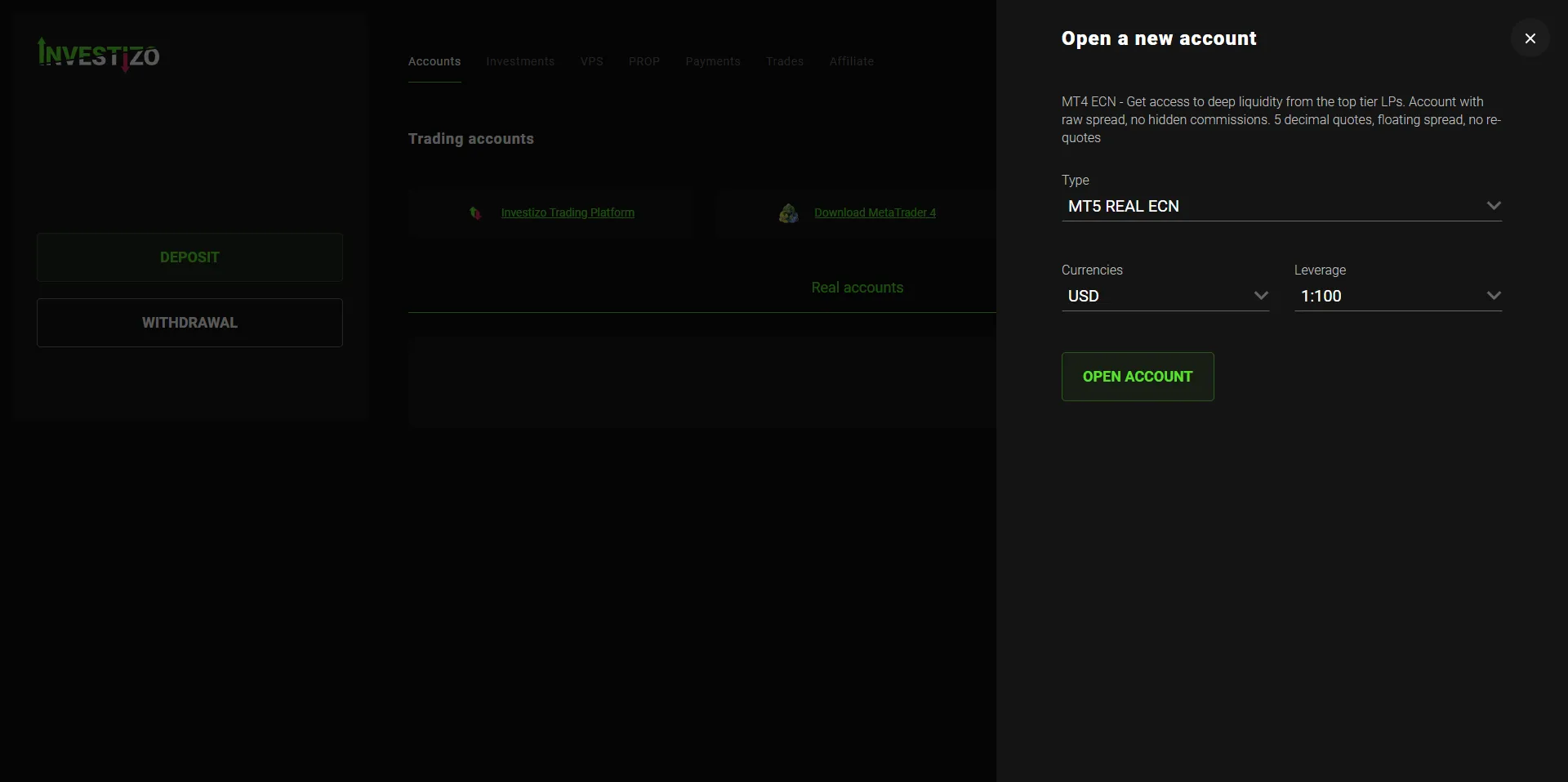
The Type field is switched by handClick to enlarge - 3. Verification
- Identity, address, email. The check takes 1 to 2 working days, but you need not wait: it blocks withdrawals only. Document requirements are on the verification page.
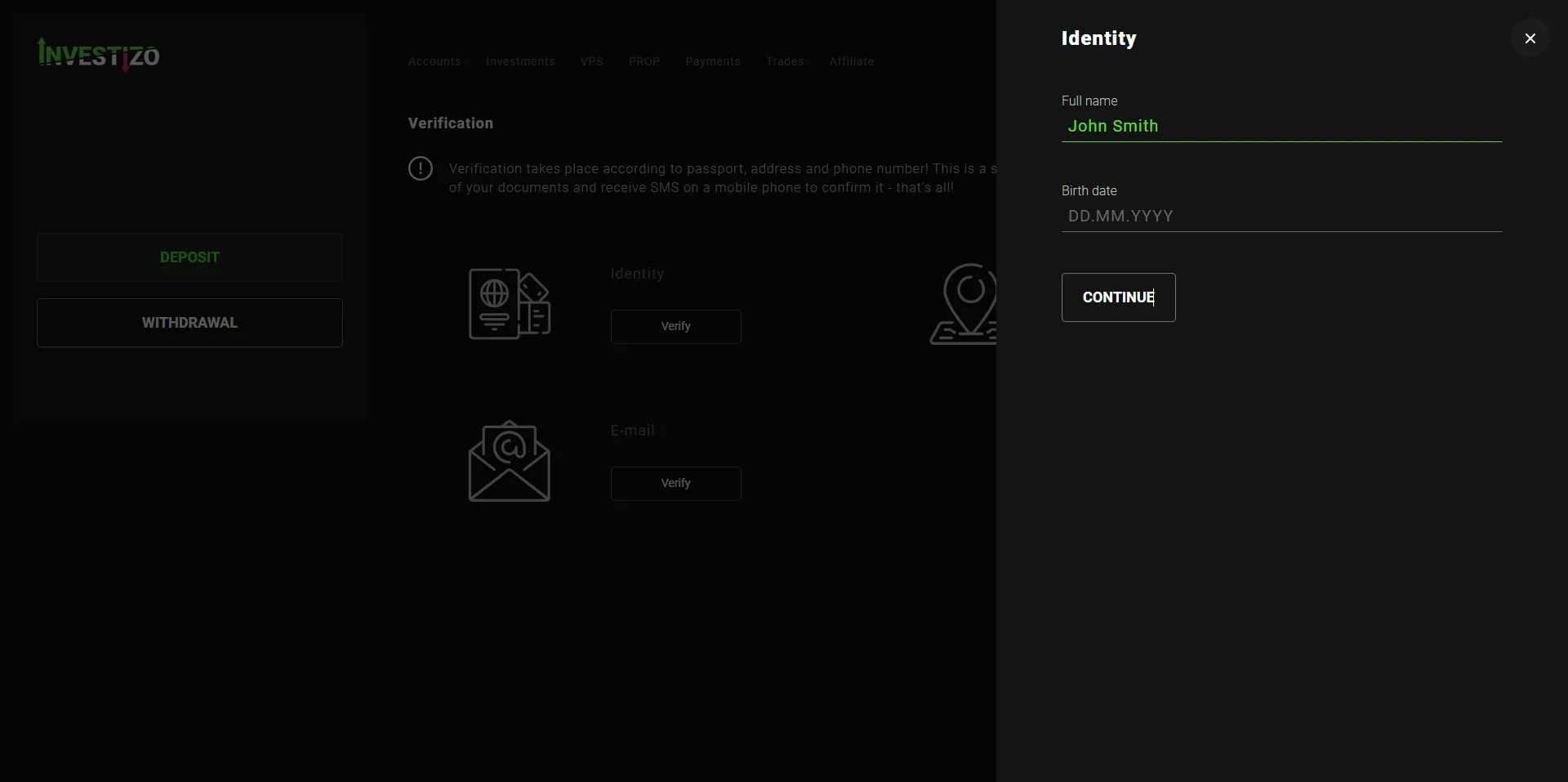
The three verification cardsClick to enlarge - 4. Fund the account
- The "Deposit" button, pick a method, send the transfer. The network must match: USDT via TRC20 to a BEP-20 address is gone for good. Details on the funding page.
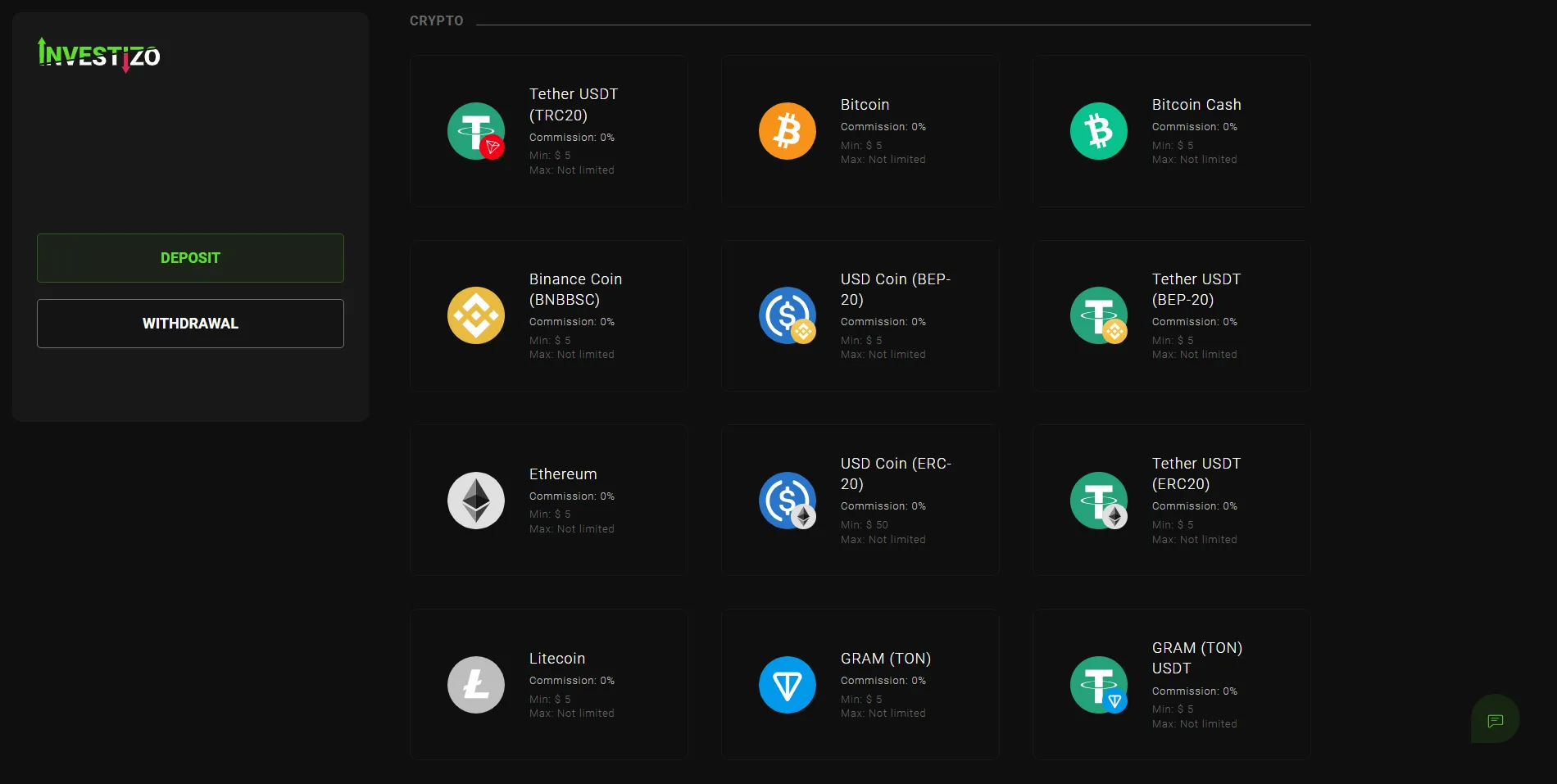
The network is chosen hereClick to enlarge - 5. Find the PAMM account
- The "Investments" tab, search for legends. The single result is Legends_Group. Demo Invest sits next to it, for looking around without real money.
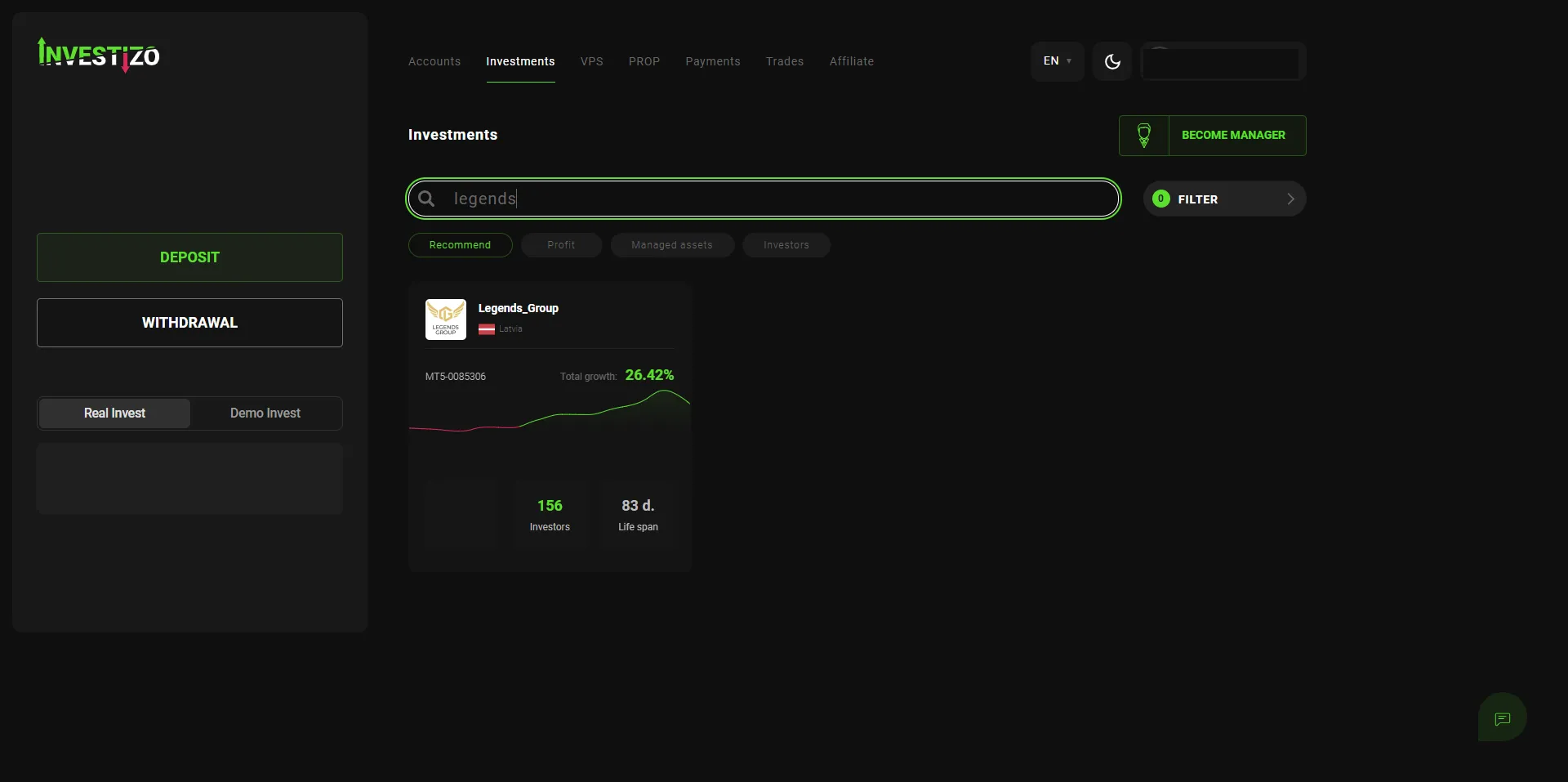
Searching by account nameClick to enlarge - 6. Join
- "Invest in trader" → "PAMM" → your trading account and an amount from $100 → "Start investing". A "PAMM management" button then appears.
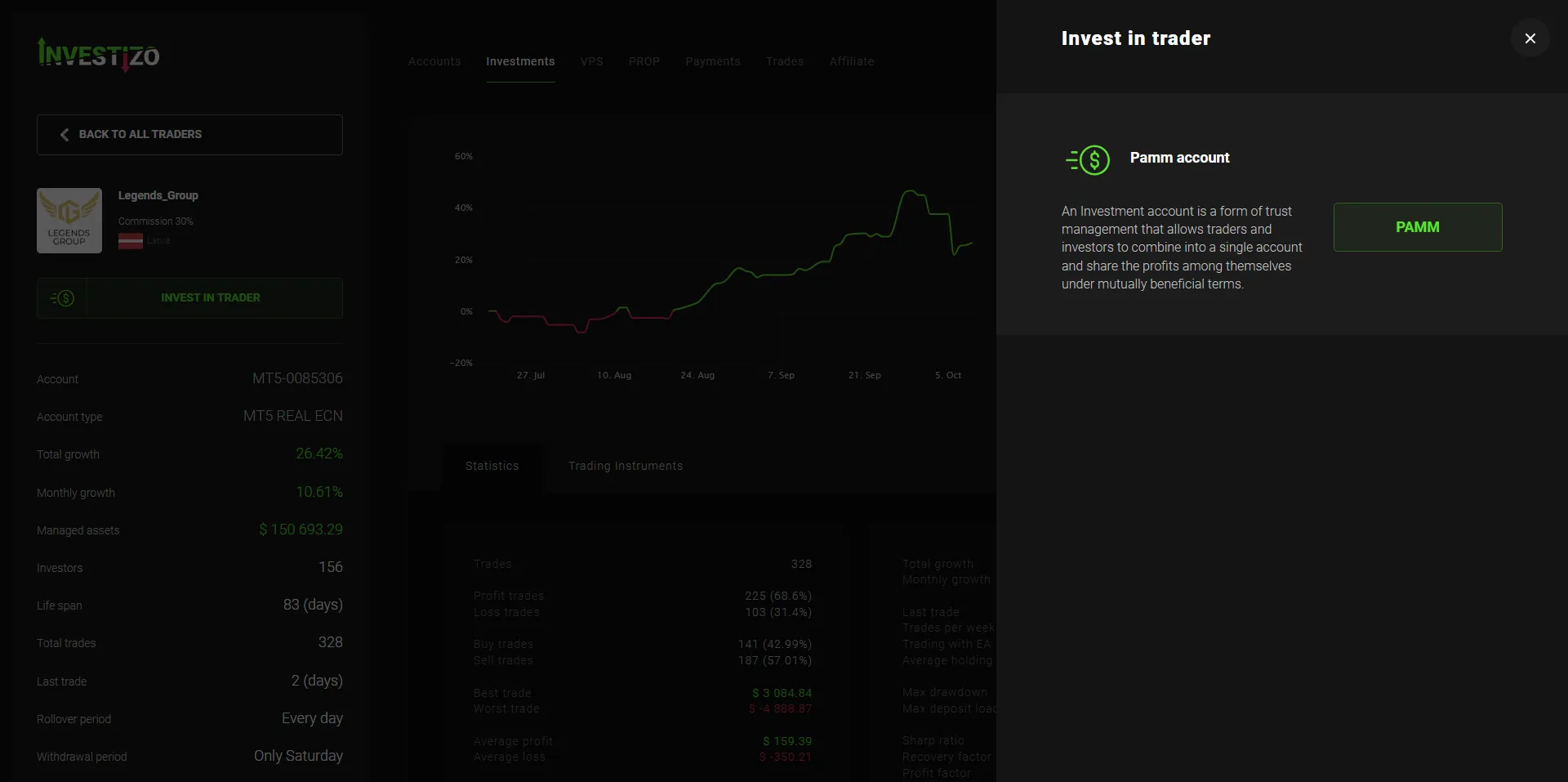
Choosing the investment typeClick to enlarge
Six mistakes
- Opened an MT4 account
- Joining will not work; MT5 REAL ECN is required. The account has to be opened again.
- Sent USDT on the wrong network
- The money is gone for good. The only mistake on this path that cannot be undone.
- Funded the account but never joined
- Separate actions. Until step 6 is done the money just sits on the trading account, taking no part in trading.
- "I funded it and the cabinet shows zero"
- After joining, the trading account balance goes to zero, which is correct. Find your investment under the "Investments" tab.
- Panicked at the first-day minus
- Right after joining the balance can show a minus, say 45 cents on $100. You are entering an account with open trades and taking on their current result. It evens out within a day.
- Entered the top-up instead of the total
- The field takes the total that should be working. You had $1,000 and are adding $1,000: type 2000, not 1000.
What happens next
The 00:05 rollover closes your first day: it fixes the result, splits the profit, and accrues the fee if there is new profit.
Funds can be taken out of the PAMM account at the Saturday rollover. Profit does not need withdrawing and re-investing: it stays in the account and works alongside the original sum.
The PAMM terms
| Parameter | Value |
|---|---|
| Account | MT5-0085306, MT5 REAL ECN |
| Instrument | XAUUSD, gold |
| Trades placed by the robot | 100% |
| Manager's fee | 30% of profit |
| Minimum investment | $100 |
| Rollover | every day at 00:05 |
| Withdrawal from the PAMM account | Saturdays only |
The figures on the broker PAMM card update daily. Check the current ones before you commit funds.
What to know before funding
Past returns promise nothing. The developer plans for drawdown of 10 to 22% and warns that an individual month can close down.
Trading runs on one instrument: gold. The broker holds no financial regulator licence.
Commit only what you are prepared to lose.