
 Español
 Tiếng Việt
 Русский
Registration and verification with Investizo
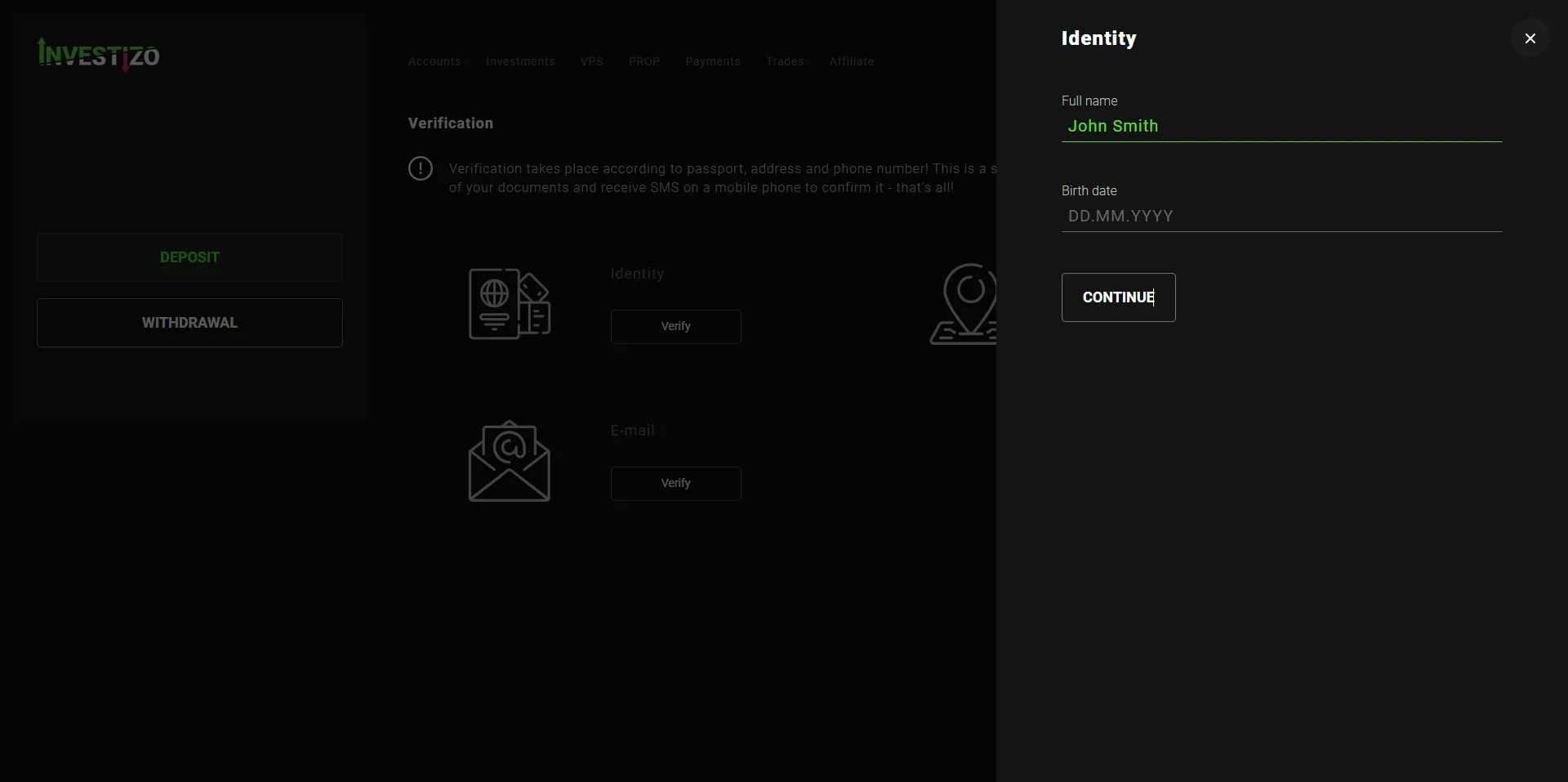
Verification has three cards: identity, address and email. They are completed in that order.
The thing worth knowing upfront: you can fund the account and join the PAMM without waiting for the check to finish. But until you are verified the broker restricts withdrawals, so send the documents straight away, not when you need the money out.
Registration
The form is short: country of residence, full name in Latin letters as in your passport, phone, email, password. There is also a Google sign-in for one-click registration.
You do not confirm your email at this step: that is the third verification card. Registration drops you straight into the cabinet.
The broker allows one profile per person. If you already have an account, do not create a second one.
The identity card
Enter your full name in Latin letters and your date of birth, then upload a photo or scan of a photo ID: the first page of a passport (domestic or international), the national identity card of your country, or a driving licence.
- The document must be valid for at least another six months
- Your photo, first name, surname, date of birth and document number must be visible
- A sharp colour image in JPG, JPEG, PNG or PDF
- Larger than 800 by 600 pixels
- Nothing covered by fingers and nothing cropped off
The address card
A utility bill, a bank account or card statement, a tax return, or the passport page showing your registered address, in which case the first page is needed as well.
The document must show your first name, surname and address, and be dated within the last three months. A statement downloaded from your banking app is usually the easiest option.
A mobile phone bill is not accepted. And the same document cannot be submitted for both identity and address.
These are the two most common reasons documents get requested again.
The email card
Check the address in the field and continue. The broker emails you a six-digit code; enter it and confirm.
How long it takes
Document checks usually take 1 to 2 working days.
You do not have to wait: funding the account and joining the PAMM are available immediately. The restriction applies only to withdrawals.
Send the documents on the day you register and the restriction will be gone by the time you need the money.
Two-factor protection for the cabinet
Optional, and it takes a minute. Two-factor authentication puts a second code on the cabinet login: knowing the password is not enough to get in.
In the cabinet, click your name and choose two-factor authentication. Install Google Authenticator on your phone, scan the QR code, enter the six-digit code from the app and enable it.
Save the key printed under the QR code separately. You will need it if you lose the phone.
Who will not be given an account
The broker does not serve residents of the EU, the US, Australia, Israel, Japan or the UAE. If you are a resident of one of those, there is no point starting verification: the account will not be opened.
Questions about verification
Who sees my documents?
The broker checks the documents. The PAMM manager does not receive them and has no access to your cabinet.
I already have an Investizo account
Do not open a second one: the broker allows one profile per person. Email support@investizo.com and ask them to move the account.
Can I fund the account and join the PAMM while checks are running?
Yes. There is no need to wait for the document check. Incomplete verification blocks withdrawals only.
Why was my document rejected?
Usually one of three reasons: a mobile phone bill was uploaded as address proof, the same document was submitted for both identity and address, or the document is dated more than three months ago.