
 Español
 Tiếng Việt
 Русский
How to fund an Investizo account with crypto
Crypto works in every region and stays the universal funding method. On crypto the broker charges nothing either way: you pay only the network fee. A card withdrawal costs 5.5% plus $4, which is why crypto is the default path here.
There is one risk here that costs more than any other on this site: get the network wrong and the whole transfer is gone.
The network must match
When you deposit, the broker issues a wallet address on a specific network. Send USDT via TRC20 to a BEP-20 address and the money disappears. Nobody returns it, not the broker, not the exchange.
Check the network twice before sending: once in the broker cabinet, once in your wallet. It is the only mistake on this path that cannot be undone.
The cheapest option by network fee is Tether USDT on BEP-20.
Send directly from your own wallet
The broker does not accept transfers through third-party smart contracts, including batched and multi-address sends.
In practice: do not use mass-payout services or aggregators. The transfer has to go from your address to the broker address in a single transaction.
The sequence
- 1. The "Deposit" button
- In the left column of the cabinet. A list of methods opens: the broker charges nothing on any crypto.
- 2. Account and amount
- Pick the trading account and enter the amount. The minimum PAMM investment is $100, so deposit at least that.
- 3. Address or QR code
- Copy the address or scan the QR code, then send the transfer from your wallet.
- 4. Credit
- When the funds arrive you get an email and the balance appears in the cabinet.
No promo code is needed at deposit: leave the field empty.
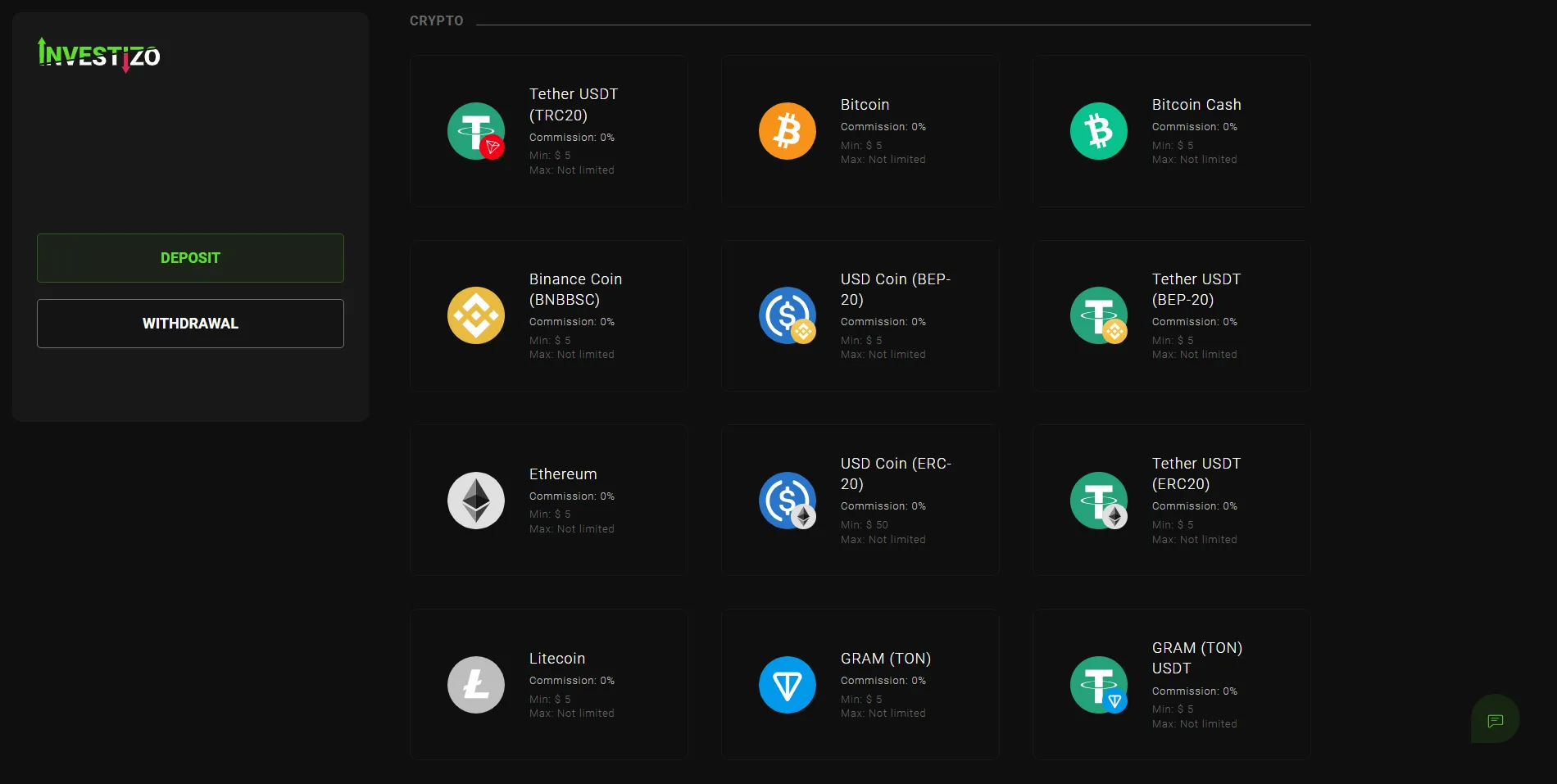
Depositing from an exchange
You can fund directly from an exchange, transferring to the issued address.
But note the broker rule: you will have to withdraw by the same method, the same coin and the same network you deposited with. Deposit from an exchange on BEP-20 and withdrawals will go out on BEP-20.
The network you pick for the first deposit is the network for every future withdrawal.
Money in the account is not yet an investment
Depositing and joining the PAMM are separate actions. Once credited, the funds sit on the trading account and take no part in trading.
Joining is its own step: the "Investments" tab, search for legends, open the PAMM card, "Invest in trader".
Questions about funding
Is there a deposit fee?
The broker charges nothing to deposit or to withdraw crypto. You pay only the blockchain network fee.
Do I need a promo code?
No, leave the field empty.
Can I deposit while my documents are being checked?
Yes. Verification is needed for withdrawals, not for depositing or joining the PAMM.
I funded the account and the cabinet shows zero
If you have already joined the PAMM, that is correct: the funds left the trading account and its balance went to zero. Find your investment under the "Investments" tab.